![]() View Full-Size Image |
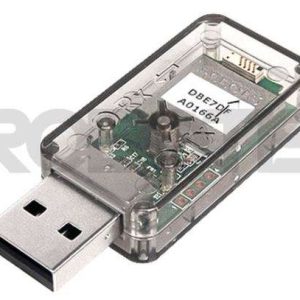
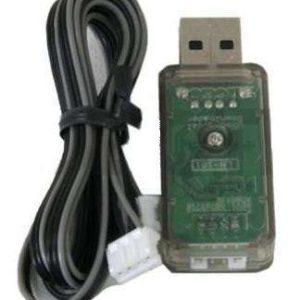
DMX-USB-RX-D8 8Ch Digital Output Intelligent Control |
||||||||||||||||||||||||||
| ( Devantech ) |
|||||||||||||||||||||||||||
|
SG$97.70
|
|
||||||||||||||||||||||||||
DMX is a system for controlling "intelligent" lighting fixtures and dimmers. A wide variety of lighting control consoles, controllers and other devices that output DMX signals can be used to connect to an even greater variety of lighting fixtures and accessories that can be controlled by DMX. DMX controlled lighting systems are used in many professional settings, including concert lighting, stage lighting, studio lighting, theme park attractions, and much more. Fully compliant with the latest USITT DMX512-A standard. Backwards compatible with the older USITT DMX512/1990 standard. Easy to use configuration via a USB port. PC application supplied, no dip switches to worry about. Uses a single 9v DC supply for power, or 9v AC if dimmer control required . Module can be set to any DMX base address from 1-505 . Output ranges may be individually set to be Dimmer or Servo or Digital. DMX feed though on all pins, including 4 & 5. Selectable 120 Ohm termination.
Introduction Features Connections
Getting Started It's more likely that you will want to select a different DMX address or to change the operating mode. To do this you will need a PC running Windows XP/Vista/Win7. Unzip the DMX_D8 Installation file into a temporary folder and click "setup" to install it. Next install the USB driver. If your using Vista, temporarily disconnect your internet connection by unplugging the network cable or switching off the wireless connection. This is because Vista will go off and look for a suitable driver and not offer you the chance to direct it to the correct driver. It will probably install the wrong driver. Disconnecting the internet first will force it to ask you where to look. XP is fine, it asks you anyway. Connect the 9v ac or dc supply to the module, then plug in the USB cable. Windows should detect the new module and ask for the driver. Direct windows to the "inf" folder and windows will install the driver. Once installed you will have a new serial comm. port listed in Device Manager. Run the DMX_D8 Configuration program, and you will see the following dialog. Select the new comm. port and it will find the module and display its software revision number. The DMX address the module is currently set to is displayed.
Led Status
Changing the Output Mode Servo modes provide the following pulse output ranges for a level change of 0-255: Threshold mode with preset thresholds from 10% to 90% Changing the DMX address DMX Connections
Termination Dimensions
|
|||||||||||||||||||||||||||
|
Availability
In Stock: 2 Usually ships in: ![]() |
|||||||||||||||||||||||||||
Customer Reviews:There are yet no reviews for this product.Please log in to write a review. |
|||||||||||||||||||||||||||
| |
|||||||||||||||||||||||||||
| |
|||||||||||||||||||||||||||

![]()